

Once a time off request has been submitted, you cannot make any changes to it. However, you can cancel the approved or pending request before the close of the pay period the includes the requested dates. If the request was already approved, cancelling will alert your supervisor and put the time back in your leave bank.
-
After selecting My Time Off from the Employee Dashboard, click on the Time Off Request you would like to cancel from the Request List:

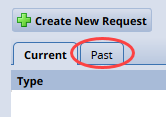
Note: if the date of the requested time off is in the past (but still in the current pay period), you will need to click on the Past Tab to view the request and complete the steps below:
-
On the Request Summary page, select Cancel Request:

-
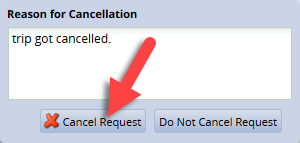
Add any comments, if needed, then click Cancel Request:
-
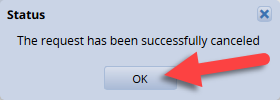
You’ll receive confirmation that the request was cancelled. Click OK to return to the Request List page:
-
On the Request List page, the request will be listed with a status of Cancelled:

Note: once the request is cancelled, no further action can be taken. To re-request the day you must create a new time off request